Layout Switching
Consider a situation when you have a busy workspace with a lot of visual nodes taking up view space. It would make sense to split it onto pieces and show only those that are relevant to a current operation. In this tutorial we will see how to organise switchable layouts.
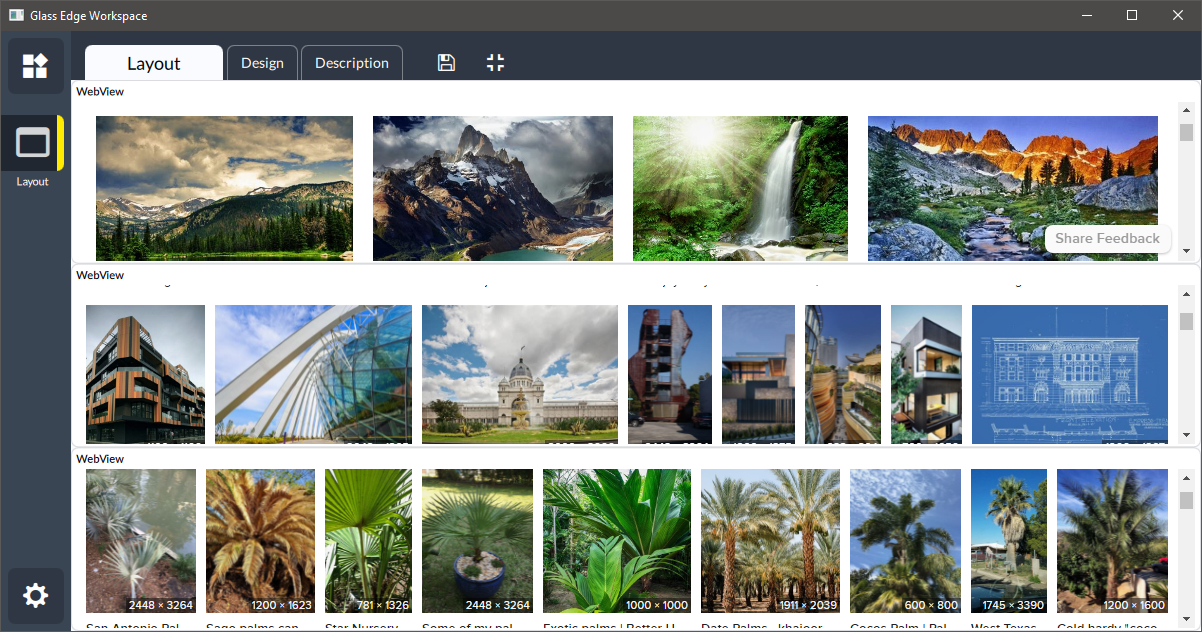
In this workspace we have three WebView nodes displaying different web pages, and there is
no space to see the content properly. In order to address this situation we want each of the
WebView nodes occupy all the space when we select it, and otherwise remain hidden.
The first step is to add a Layout node from com.dmc.std.core. This node provides an area
where we will display webpages. In order to add layout groups, drag and drap + box from the
node to workspace.
When we have three layout groups, drag WebView nodes each into a separate group. Anchoring
rules apply to nodes within groups, but in this example it doesn't play any role. Now we need to
add a way to switch between these groups.
For the switching we add PushStrip node and initialise it with:
[
{"text": "nature", "index": 0},
{"text": "architecture", "index": 1},
{"text": "palms", "index": 2}
]
So it has three buttons: "nature", "architecture" and "palms". Pressing a button in a strip will
output the value from which we extract index and pass it to Layout node. Now clicking the
buttons will switch layouts.
For consmetic purpose we can also hide frames for all visible nodes.