Filtering and Formatting
This tutorial demonstrates data transformation techniques or filtering and formatting.
Formatting
Formatting is a simple method of transforming textual values based on template and input. Template is a string that contains placeholders into which the value of input can be placed. You can see the full reference of the syntax here: Formatting Syntax. In this section we will make an overview of nodes and other techniques that use formatting.
TextFormat
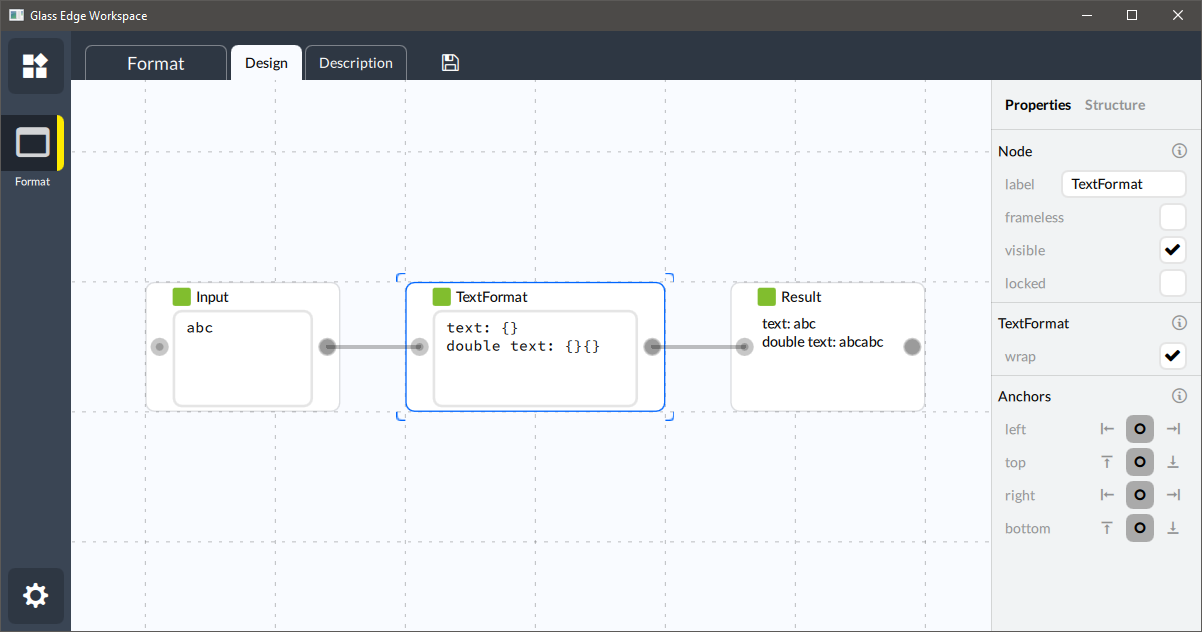
TextFormat node provides an easy way to specify a template in its edit box and transform
incoming value. The behaviour is straightforward.
TextFormatControl
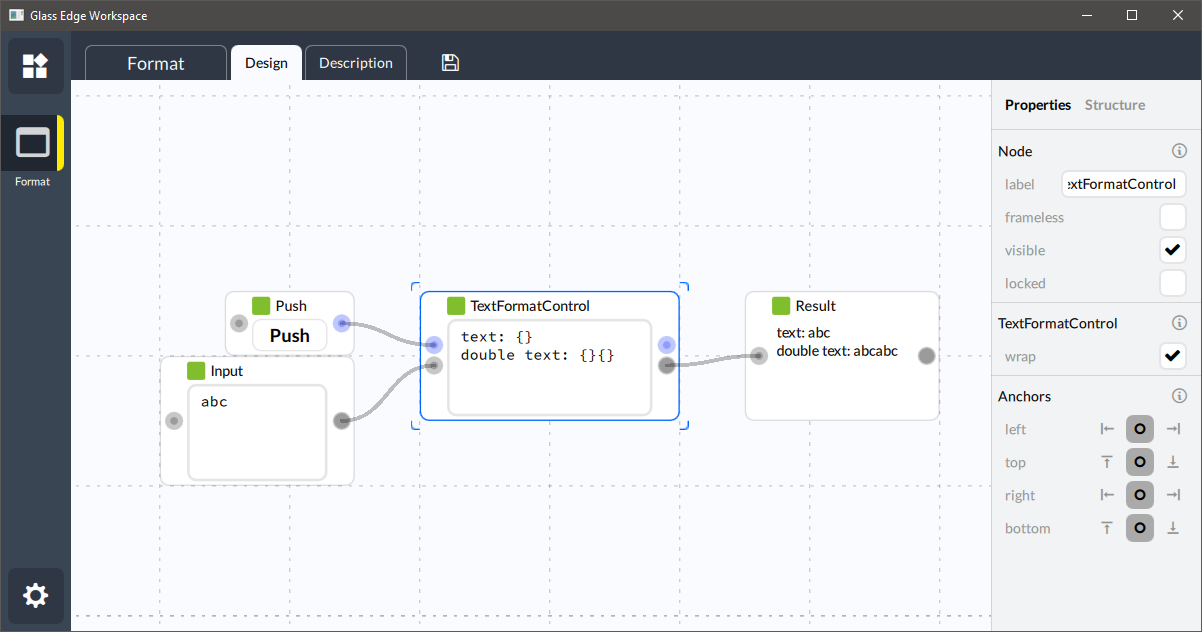
TextFormatControl node does exactly the same thing as TextFormat but adds control slots.
So the operation will only be triggered when control is passed.
Merge
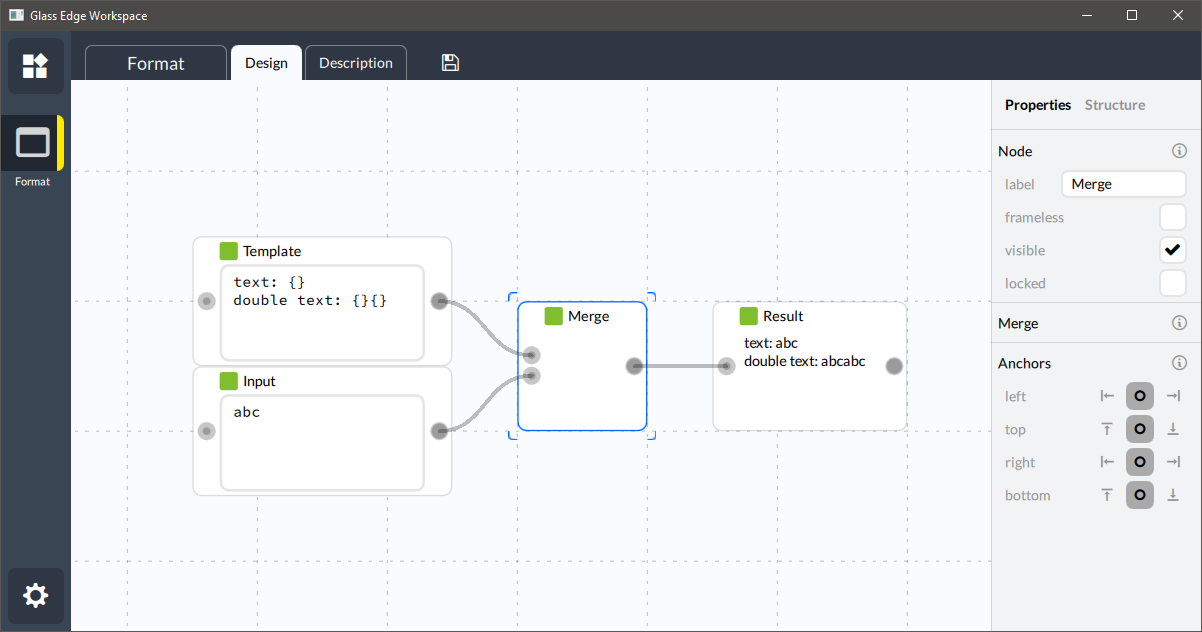
Merge node make the operation a bit more generic, it does not provide an edit box, but
allows specifying template values via input slot.
MergeControl
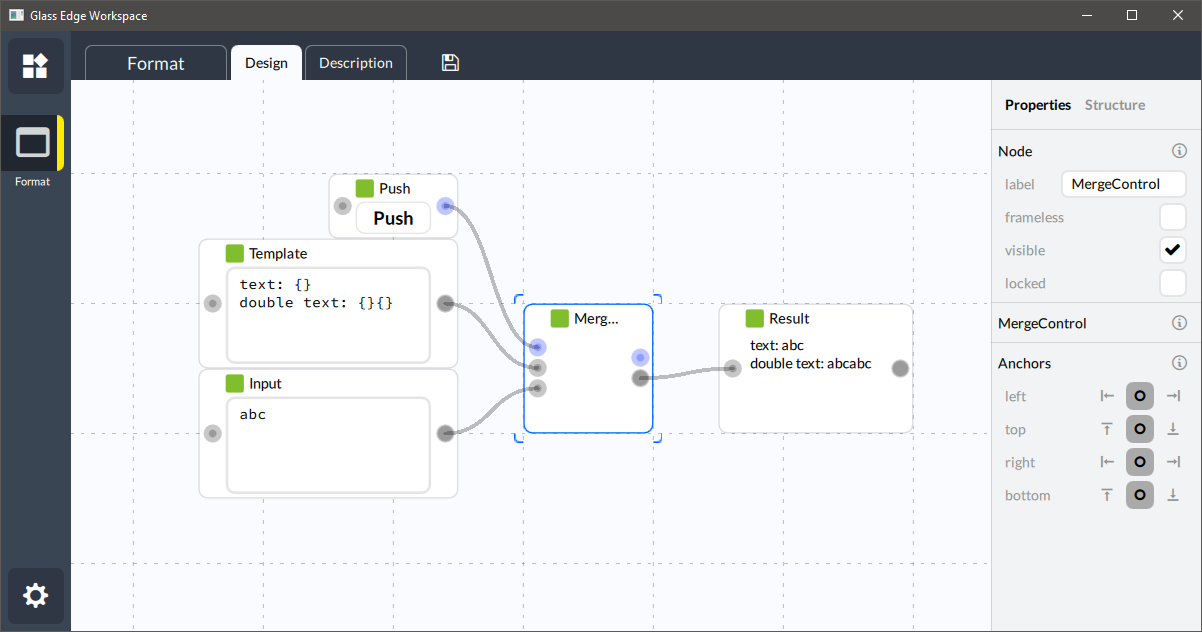
MergeControl node is the same as Merge, but requires control to operate.
Formatting Connection
It is possible to assign formatting operation to a connection. In this case formatting will be performed with the data during connection evaluation. You can see if a connection has some additional rule if it has a circle midway the line.
Filtering
Filtering is an advanced data transformation of map data type. It treats input as a JSON object and applies a JSONata query to it. JSONata is a powerful query mechanism for JSON transformation, you can read more about it here: JSONata documentation.
JsonFilter
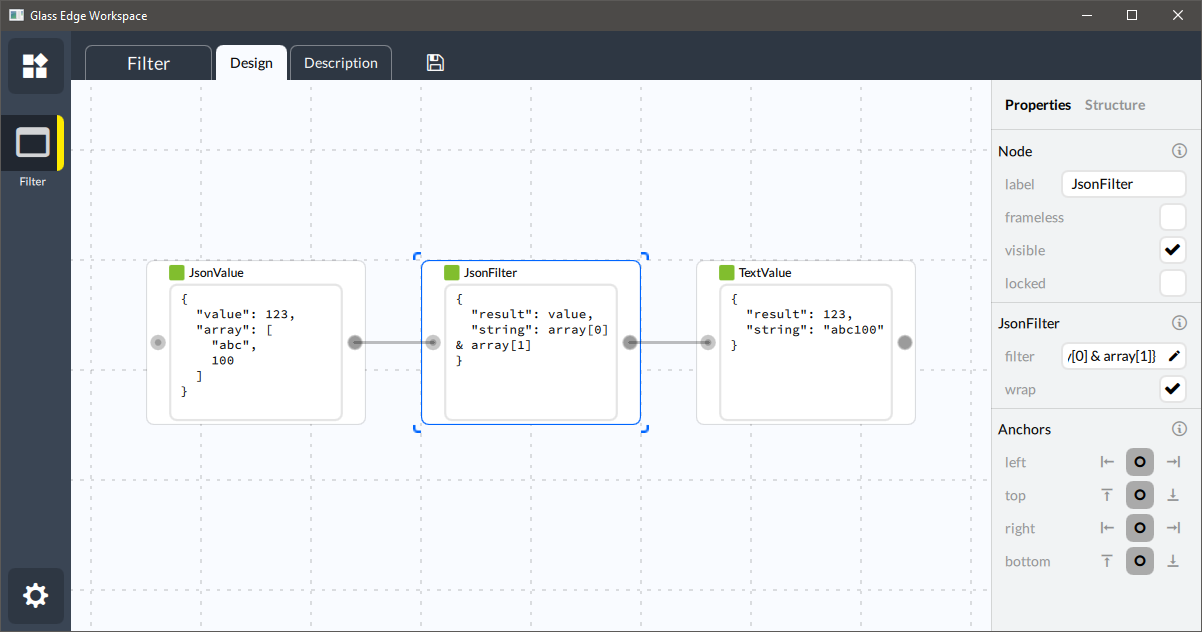
JsonFilter node provides an edit box to specify JSONata query and accepts any JSON compatible
value. Note that for input value we are using output from JsonValue node. JsonValue parses
text input as JSON object and outputs it as map object. If we used TextValue, the value
would have been treated as a string, and no transformation would be made. Because string is
also a valid input type for JsonFilter, you need to make sure you are passing a map when you
mean it.
JsonFilterControl
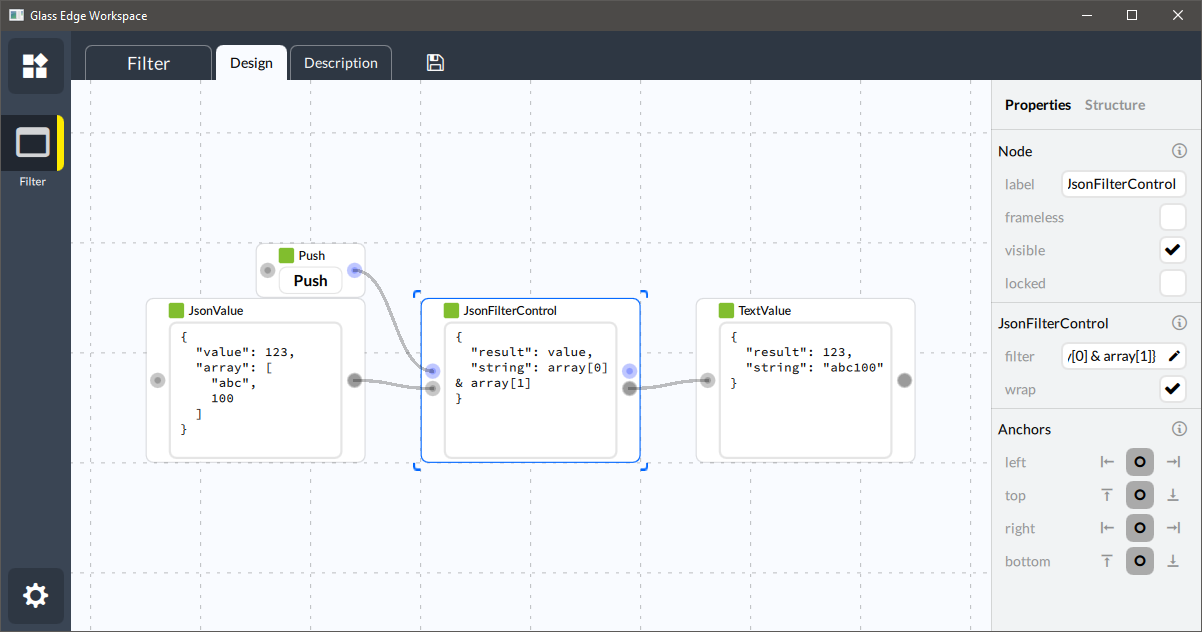
JsonFilterControl node is the same as JsonFilter, but requires control to operate.
Filtering Connection
It is possible to assign filtering operation to a connection. In this case filtering will be performed with the data during connection evaluation. You can see if a connection has some additional rule if it has a circle midway the line.